RSVP form block
The form guests actually respond with — every new event starts with one already in place.
The form guests actually respond with — every new event starts with one already in place.
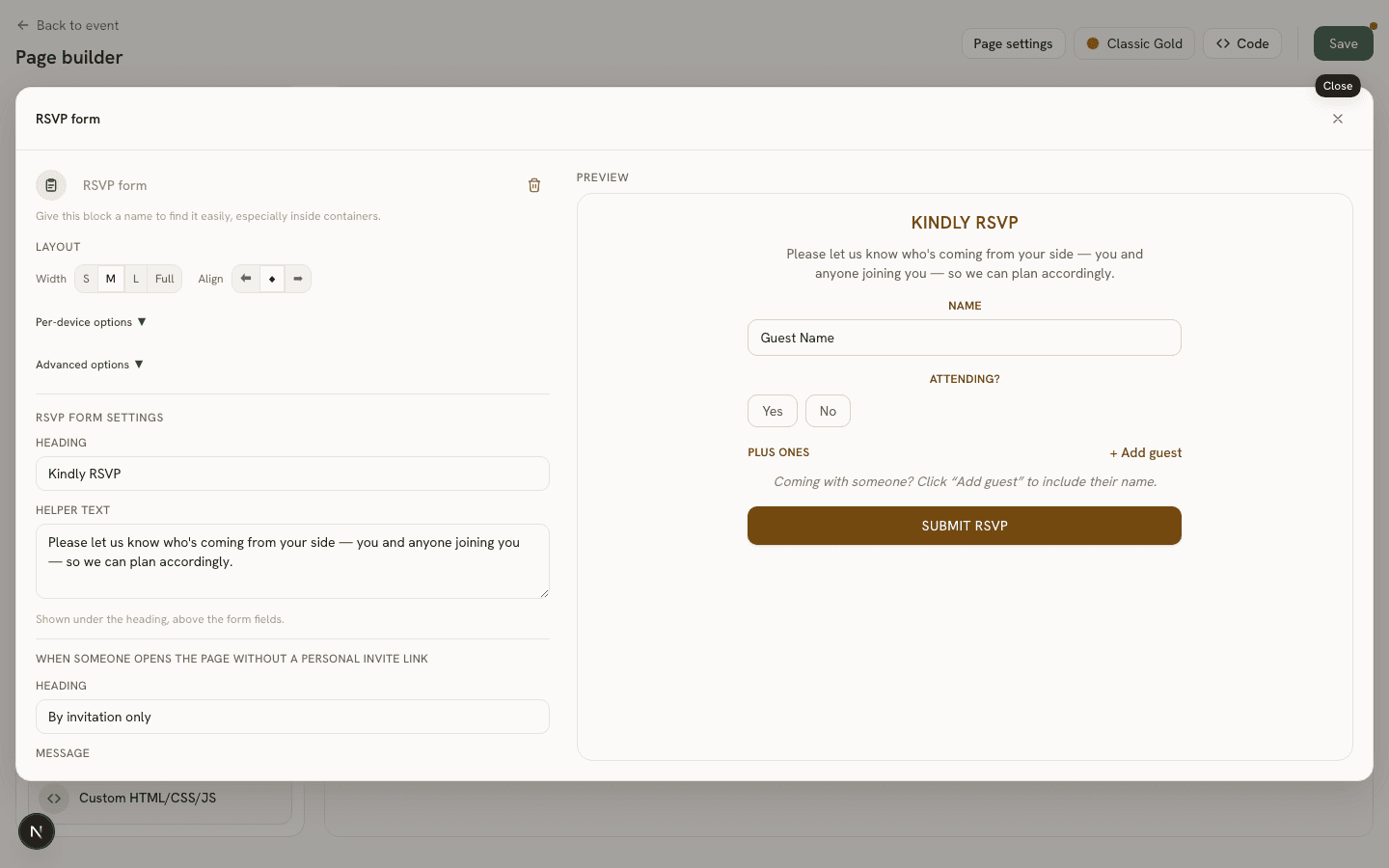
Settings
- Heading (
heading) and Helper text (helperText) — shown above the form fields. - By-invitation-only heading/message (
noInviteHeading,noInviteMessage) — shown instead of the form when a visitor has no personal invite link, for private events. - Deadline-closed heading/message (
deadlineClosedHeading,deadlineClosedMessage) — shown instead of the form after the event’s RSVP deadline has passed.
The actual form fields it renders, and what happens right after a guest submits, are configured elsewhere — see the RSVP form guide and the event’s Guests → Actions tab.