Themes
One preset for colors and fonts together — pick it once, nudge it later if you want.
A theme is a paired set of colors and fonts applied to your guest-facing invite page. You choose one when you create an event, and can change it any time from the event’s Settings tab — the same picker appears in both places.
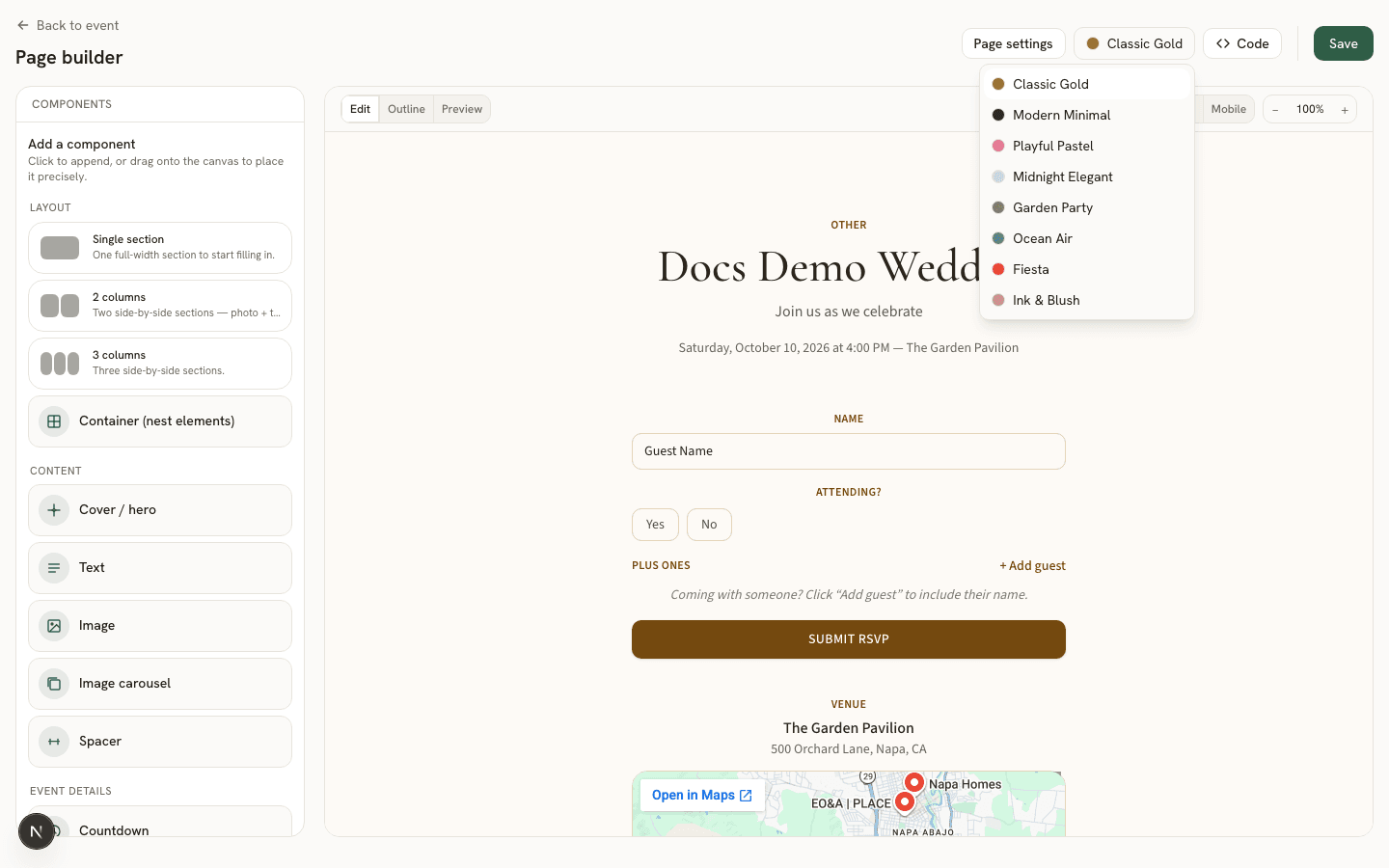
The 8 presets
- Classic Gold — warm amber accent on a soft neutral background.
- Modern Minimal — clean black & white with plenty of whitespace.
- Playful Pastel — soft rose accent, friendly and light, great for parties.
- Midnight Elegant — deep navy & silver, formal and dramatic.
- Garden Party — sage & terracotta on cream, outdoor, brunch, alive.
- Ocean Air — dusty blue on off-white, coastal and calm.
- Fiesta — saturated coral & marigold on warm white, loud parties.
- Ink & Blush — charcoal with a blush accent on white, editorial, chic.
Colors and fonts, together
Each theme bundles a color palette (background, foreground, accent, a darker accent for contrast, and a surface tone) with a matching display/body font pair — a serif paired with a clean sans, or a rounded display face with a soft body font, depending on the mood. Switching themes changes both at once, so your page always reads as one coherent look rather than a mismatched color-and-font combination.
Nudging a theme without switching it
If you like a theme’s fonts but want a slightly different accent color, you don’t have to change presets — the page builder lets you override individual colors on top of your chosen theme. See styling in the page builder for how.
Good to know