Styling
Every styling control in the builder, in one place — from one block's own box up to the whole page's palette.
Styling in the page builder happens at three scopes, from narrowest to widest: a selected block, the pageas a whole, and nothing beyond that — there’s no separate “theme editor,” only a page-level override on top of whichever theme the event uses. Today these live behind a few different buttons rather than one unified panel; a future pass is planned to bring them under a single “Style” panel with Theme/Page/Selected-block tabs, but that’s a presentation change only — every control described below already exists and works.
Selected block: Custom CSS
Select any block and its properties panel has a Custom CSS field under Advanced options (Container blocks call the same field “Custom style” instead). Both are raw property: value;text, parsed into an inline style object and applied directly to that one block’s wrapper — never as a <style> stylesheet, so there are no selectors and nothing here can reach any other element on the page. See layout controls for the rest of what lives alongside it (align, width, per-device overrides), and Custom code & sandboxing for the full safety story behind letting hosts write raw code at all.
Page: theme colors, font, and page CSS
With nothing selected, click Page settingsin the builder’s top bar to reach page-wide styling:
- Theme colorslets you nudge individual colors — background, text, accent, accent (dark), and surface — away from the event’s chosen theme, without switching to a whole different theme. Leave any color alone and it keeps following the theme; a “Reset to theme defaults” link clears every override at once.
- Font is a small preset list (Default, Serif, Mono, Rounded) applied as a real
font-familyto the page root. - Page CSSis the same raw-text-to-inline-style mechanism as a block’s Custom CSS, but applied to the page’s own root element instead of one block’s wrapper — this is the tool for whole-page layout, like arranging blocks in a row or setting a page-wide background, since no single block owns that.
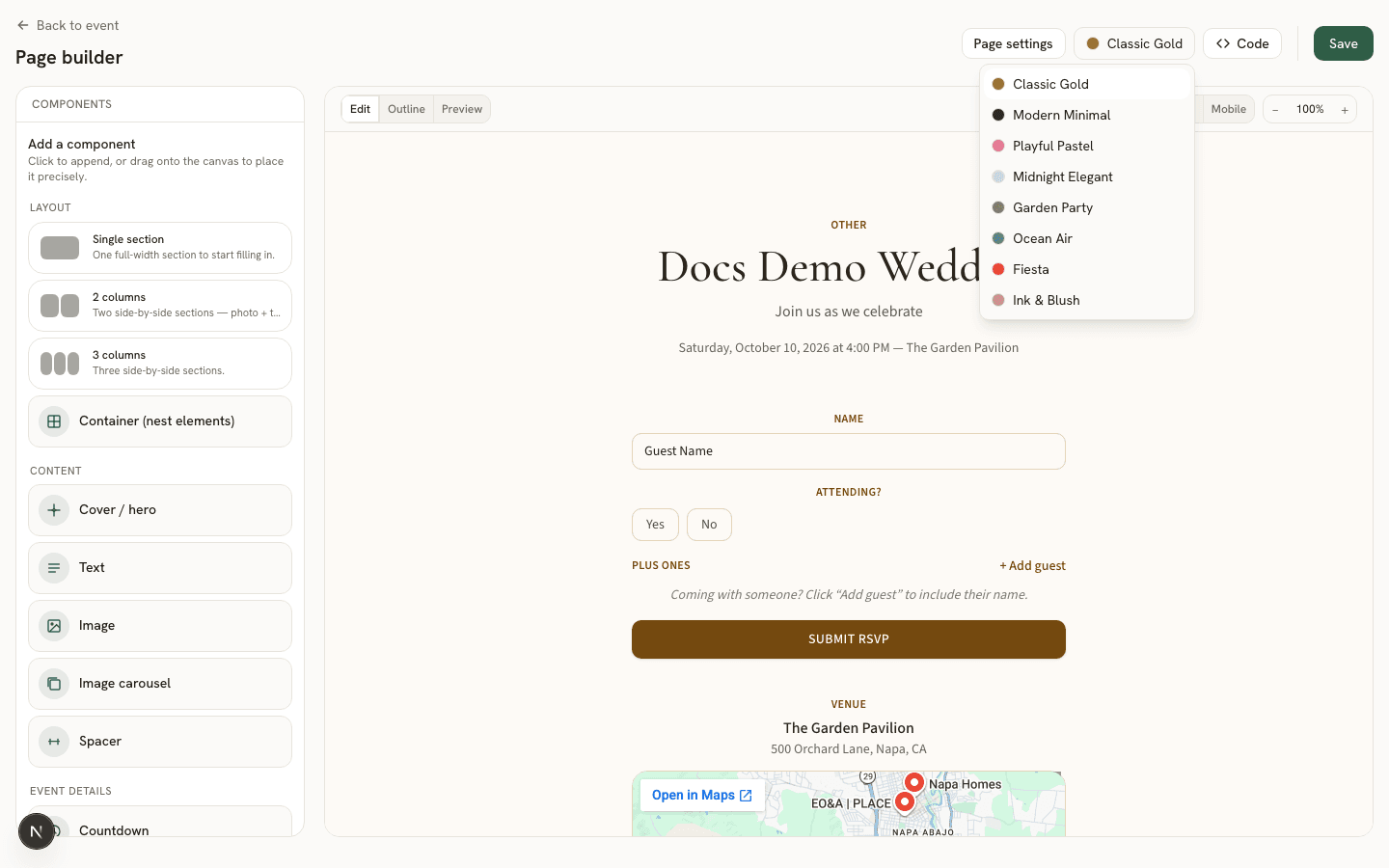
The event’s overall theme itself (which of the built-in themes an event uses) is chosen separately, from the swatch button next to Page settings in the same top bar.
Where each field is stored
themeOverrides, the font choice is fontFamily, and page CSS is pageStyle — all separate from the event’s own theme_id, which is what the top-bar swatch button changes.